
It’s 2025, and an unhindered Internet connection is no longer just a luxury; rather, it’s a basic necessity. Staying connected – be it for smart tech or zoom calls – should be seamless and not stressful. With more than 12.53 million Australian households connected to a common name, i.e., the National Broadband Network, the importance of NBN installation Australia has become paramount for faster, more reliable internet.
Uncertain about the NBN setup process, your home setup, or the installation steps involved? Don’t fret! Take a deep dive into the blog to unveil everything you need to know, get your queries resolved, and stay connected – completely worry-free!
A Quick Overview
The National Broadband Network is a government-funded open-access data network, which delivers high-speed, dependable connections across Australia. This guideline sheds light on NBN Installation Australia, talking you through the home setup, NBN setup process, and important installation stepsto ensure a smooth, hassle-free connection experience.
Understanding NBN Installation Australia and How It Works
Before we dive into the installation process, it’s necessary to understand what the National Broadband Network is and why it has a reach to nearly 98% of Australia.
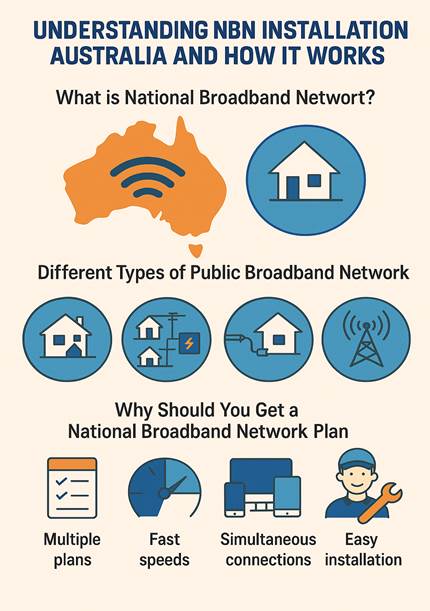
- What is the National Broadband Network?
The National Broadband Network is a government-owned Australian wholesale open-access data network. It’s a trusted and popular data network that spans across Australia to provide high-speed internet access and connectivity using various connection plans and installation types.
- Different Types of Public Broadband Network
| Plan | Mbps | Cost | Features |
| Basic Bundle | 12/1 | $12 | Telephone calls |
| Home Basic 1 | 12/1 | $26.85 | Internet browsing and standard HD streaming on a single TV, and basic online games. |
| Home Basic II | 25/5 | $28.24 | Standard internet use, 4K streaming (1 device), basic online games, and video calls. |
| Home Standard | 50/20 | $52.52 | 4K streaming (2 simultaneous devices), online gaming, and video teleconferencing. |
| Home Fast | 100/20 | $57.22 | 4K streaming (multiple devices), concurrent online and cloud gameplay, and video teleconference calls. |
| Home Superfast | 250/25 | $62.22 | Superior quality HD 4K streaming from multiple devices with concurrent access to cloud-based applications. |
| Home Ultrafast | 1000/50 | $72.22 | Best quality connection, HD 4K streaming from multiple devices with concurrent access to cloud-based applications. |
- Why Should You Get a National Broadband Network Plan?
Expert Take: “Almost 30 percent of Australia’s broadband network users in both metro and regional areas say the internet is vital to their job or business – significantly higher than the results for areas yet to be connected,” says National Broadband Network’s spokesperson Ebony Aitken.
Given the increase in digital connectivity and relevance of the Internet in our day-to-day activities, the National Broadband Network plan has become a household name for the innumerable benefits it offers –
- Multiple internet plans and types of installations are available to choose from depending on your requirements.
- High internet connectivity and fast speed with a trustworthy network.
- Support connections on multiple devices simultaneously with upgraded plans for better value.
- A smooth, easy, and hassle-free installation process in coordination with a service provider.
The Step-by-Step Guide to Completing an NBN Setup Process
Let’s explore the various steps and processes that are involved in completing a National Broadband Network installation and learn how to be prepared:
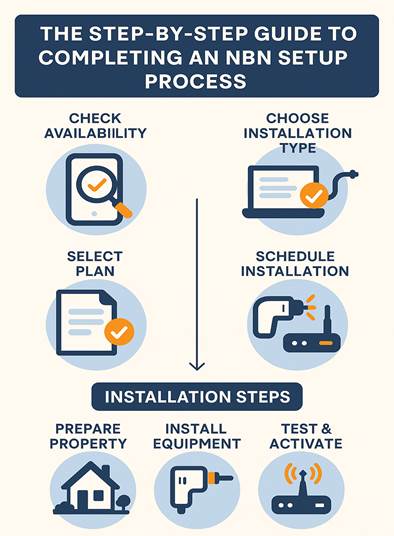
- Application Process to Complete the Setup
If you’re planning a switch to the National Broadband Network, it’s absolutely necessary to be informed about the application process and its stepwise procedure to have access to a smooth and hassle-free installation.
- Don’t Forget to Check the Availability
While nationwide broadband service covers a majority of premises within Australia, it’s highly recommended to check whether your locality has adequate services available. Contact your preferred service provider, or for easier access, check Nationwide broadband service’s official website for verified information.
- Select a Nationwide Broadband Network Plan
Based on your home setup and network needs, choose the perfect National Broadband Plan that aligns with the number of devices and strength of Internet that you require. With options available from $12 up to a 1000/50 Mbps plan, you can choose from various service providers and an expansive list of plans tailored to various usage and device requirements.
- Choose The Installation Type of Your Preference
| Type of Installation | What It Is |
| FTTP (Fiber to the Premises) | Direct fiber connection to your home for top speed. |
| FTTN (Fiber to the Node) | Fiber to a local node, then copper to your residence. |
| FTTC (Fiber to the Curb) | Fiber closer to home, with very minimal copper usage. |
| Hybrid Fiber Coaxial (HFC) | Utilizes pre-existing pay-TV or cable networks. |
| Fixed Wireless | Wireless signal from tower to antenna on your property |
- Schedule Your Installation
After you’ve chosen your desired plan, all that’s left is to schedule an internet setup appointment. Your preferred service providers will coordinate with Nationwide broadband service to select a date and time that’s feasible to complete the procedure.
- Detailed Installation Steps of National Broadband Network
If you’ve completed the above steps, you’re almost there to inaugurating a connectivity that never slows down.
- Prepare Your Property for the Installation
Installing a network connection requires a lot of logistical support. Make the service easier for you and your network provider by setting up your property:
- Clear all access and obstacles at the installation point.
- Obtain all permissions from your landlord and neighborhood authority, especially if you’re in a rental property.
- Choose an appropriate location for your installation setup, which is near a power outlet and central to your internet needs.
Installation of the Equipment
Your service providers will visit your property to set up all NBN equipment, which includes the modem, National Broadband Network connection box, and, if required, a new phone line and router.
- Testing and Activation of the Connection
After the installation service is completed, the service provider or technician will test the connection, both internet and phone service, by connecting it with devices to ensure proper functioning.
A Quick Checklist for Post-Installation: Most Effective Tips
- Activate your plan by plugging in your modem and test the internet speed and connection with your own devices.
- Optimize connectivity by positioning the installation at a central position.
- Consider using Ethernet connections or adding Wi-Fi extensions for stationary devices located further away from the point of installation.
- In case of any queries, get in touch with your service provider for immediate assistance.
Still Got Questions? Our FAQs Can Help!
- Are there installation costs for NBN setup?
Usually, basic installation is free of cost for standard homes. But properties with tricky access or long driveways might incur additional charges. It’s best to consult with your provider about any installation fees and inquire if there’s room to negotiate.
- Do I need to set up my own WIFI router after installation?
In most cases, you’ll set up your own Wi-Fi device. Some connections feature integrated modems – so confirm with your provider.
- Do I need to be present for a National Broadband Installation setup?
While your presence isn’t mandatory for a National Broadband Network setup, an adult over the age of 18 must be present during the entirety of the installation procedure.
Step Into Speed with NBN Installation Australia
With NBN Installation Australia, upgrade your connectivity for hassle-free browsing, lag-free gaming, and crystal-clear video calls. Get ahead, ditch delays, and make your home connection future-ready!
