
Has this ever happened to you? You checked your monthly internet bill, surprised, and wondered, “When did I use so much data?” Don’t let the shock cloud your thoughts! In Australia, activities like streaming, online gaming or remote work have become a part of daily life. Amidst this scenario, keeping a tab on your NBN data usage is now a quintessential move to avoid unexpected slowdowns and extra fees.
If you are cloudy about how to manage NBN data usage,you’re at the right place. From breaking down data capsto helping you choose the right unlimited plan; this piece will simplify everything for you.
A Quick Summary
Are you looking to manage NBN data usage just like a pro? This blog equips Australians with smart, effective strategies to track their data, avoid data caps overages, and make the most from unlimited plan. Also, brace yourself to learn how to track usage, pick the best plan, and put some simple steps into practice to keep your connectivity smooth and keep your bills under control.
Why Should You Manage NBN Data Usage?
The evolving broadband landscape of Australia is powered by the National Broadband Network, providing a wide range of plans from strict data caps to premium unlimited plans. Here’s why it’s paramount to monitor and manage your data –
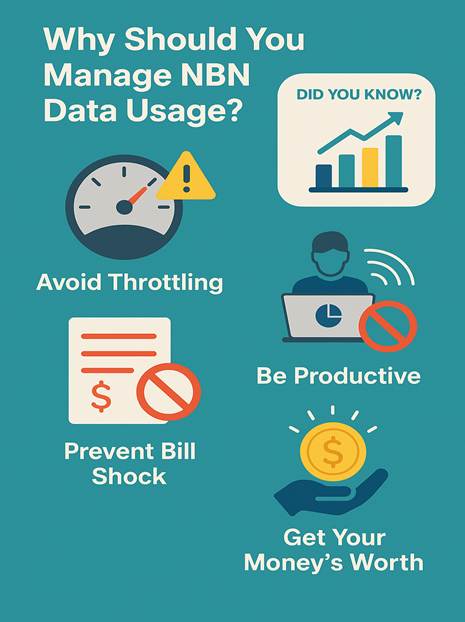
- Avoid Throttling: Have you already hit your data caps? Almost every provider will slow your speed significantly until the upcoming billing cycle.
- Prevent Bill Shock: There are many plans that charge for additional usage. You must be careful to save your money.
- Be Productive: High usage by a single device could drastically drag down the whole household’s speed, particularly during study or work hours.
- Get Your Money’s Worth: You are paying for a service! You should use it wisely to get the best bang for your buck!
Did You Know? The average household data usage of Australia has soared by 20% year-on-year since 2020, yet up to 30% of households still pick the wrong National Broadband Network plan (ACCC).
Expert Take: “Tracking and adjusting your data usage means you don’t pay extra or get stuck with sluggish speeds,” says a Whirlpool Forums’ NBN specialist.
What Counts as Data Usage? How to Manage NBN Data Usage?
Data usage means each megabyte your household downloads or uploads through your internet connection. Below is a quick breakdown –
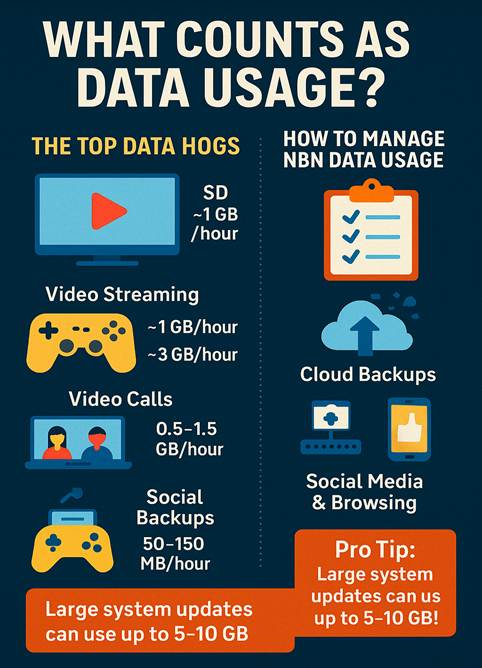
- The Top Data Hogs
- Video Streaming (Netflix, Stan and YouTube,):
- SD: ~1GB/hour
- HD: ~3GB/hour
- 4K: ~7GB/hour
- Online Gaming: Around 40–150MB/hour (downloads/updates could be huge!)
- Video Calls (Zoom or Teams): 0.5–1.5GB/hour
- Cloud Backups and File Syncing: Differs, could spike suddenly!
- Social media and browsing: 50–150MB/hour
Pro Tip: Large system updates on devices such as PCs, phones, consoles, etc. can use up to 5–10GB in just one go!
- A Quick Table: Typical Data Usage for Some Popular Activities
| Activity | Data Used Per Hour | Expert Tip |
| Streaming SD Video | 1 GB | Lower video quality in settings |
| Streaming HD Video | 3 GB | Consider using Wi-Fi, not just a mobile hotspot |
| Streaming 4K Video | 7 GB | Just use 4K when necessary |
| Video Calls (HD) | 1–1.5 GB | Turn off video for audio-only calls |
| Online Gaming | 40–150 MB | Updates use way more than gameplay |
| Web Browsing/Social | 50–150 MB | Turn off the autoplay option for videos |
How to Monitor and Manage Your NBN Data Usage?
Time for a quick action! Let’s now delve into how to manage NBN data usage step by step. Read to discover easy yet effective ways to track, control, and cut short on using excessive data.
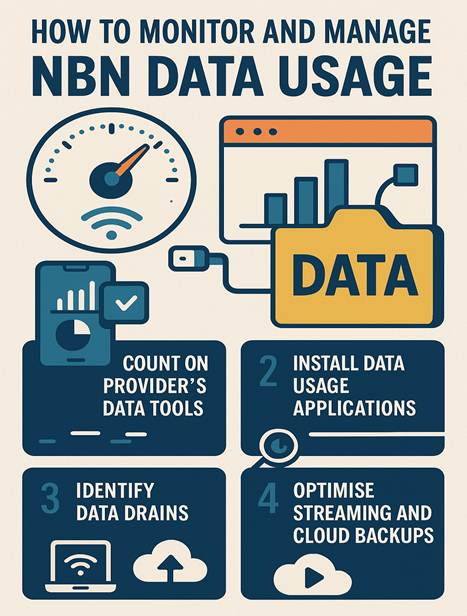
1.Count on Your Provider’s Data Tools
Most of the prime ISPs including TPG, Optus, Telstra, Aussie Broadband, etc. provide mobile apps or dashboards, which show your data allowance and real-time usage.
Pro Tip – Set up email or SMS alerts when you approach your data limit!
2. Install Data Usage Applications on Devices
- Windows/Mac: Rely on built-in “Network Usage” tools.
- iOS/Android: Apps such as “My Data Manager” help monitor mobile & Wi-Fi usage.
- Routers: There are many modern routers that offer traffic-monitoring dashboards.
3. Identify Data Drains
- Check for Hidden Syncs: Disable auto cloud uploads that include Google Drive, iCloud, etc.
- Schedule Updates: Download large files overnight or at off-peak hours.
- Monitor Guest Usage: Consider sharing your Wi-Fi password wisely.
4. Optimise Streaming and Cloud Backups
- Lower streaming resolution across platforms such as Netflix or YouTube.
- Pause or throttle big backups, especially at the peak hours.
Pick the Best NBN Plan: Data Caps vs. Unlimited Plans
Stuck between a dilemma between Data caps and unlimited plan? Here’s how you can decide confidently.
Data Caps
- Comparatively lower monthly fees
- Perfect for singles, light users
- Risk of a bit of additional charges or throttling
Unlimited Plans
- No need to closely monitor your meter
- Ideal for families, streamers, and remote workers
- Slightly higher cost, but hassle-free!
A Quick Comparison Between Data Caps vs Unlimited Plans
| Plan Type | Perfect for | Potential Drawback |
| Data Cap | Light users | Overage fees/throttling |
| Unlimited Plan | Families/Heavy | Higher cost, but zero limits |
When Should You Level up to Unlimited?
- If you constantly consume more than 80% of your monthly limit
- In case you want to strictly avoid micromanaging your usage
- If a number of family members stream or play online games
FAQs
1.What’s the easiest way to track NBN data usage?
Make sure to check your ISP’s dashboard or make use of a dedicated app. Most of the providers now enable you to set up notifications.
2.Can I minimize data usage without switching plans?
Yes, absolutely! Lower video streaming quality. Put a limit on the automatic backups. Last but not least, set time limits for social media and online gaming.
3. Is it worth paying more for any unlimited plan?
If you often approach your data caps or prioritize peace of mind, then you must try out unlimited plans.
4. What should you do if you exceed your monthly data allowance?
Get in touch with your provider without any further delay! Some might come up with a temporary top-up, but repeated overages could mean it’s time to pin your faith in a higher allowance or unlimited plan.
Conclusion: Time to Take Charge of Your NBN Data
No, it’s not difficult to manage NBN data usage! Rely on smart tracking, tweak some old habits, and pick the right plan to enjoy a blazing-fast Internet connection. Whether you stick with data caps or opt for unlimited plans, the strategy is simple! Just monitor, thoroughly optimize, and carefully review.
So, are you ready to master your Internet connection? Bookmark this guide today to stay ahead tomorrow. Trust us, the “future” you will thank you!
